
Know what is on the shelf without counting
Set up an item once. After that, your bills keep the quantity right.
In the Free plan

Every price in one place
What you pay, what is printed and what you charge.
- MRP, purchase price and selling price
- A preset discount for each item
- HSN and GST rate
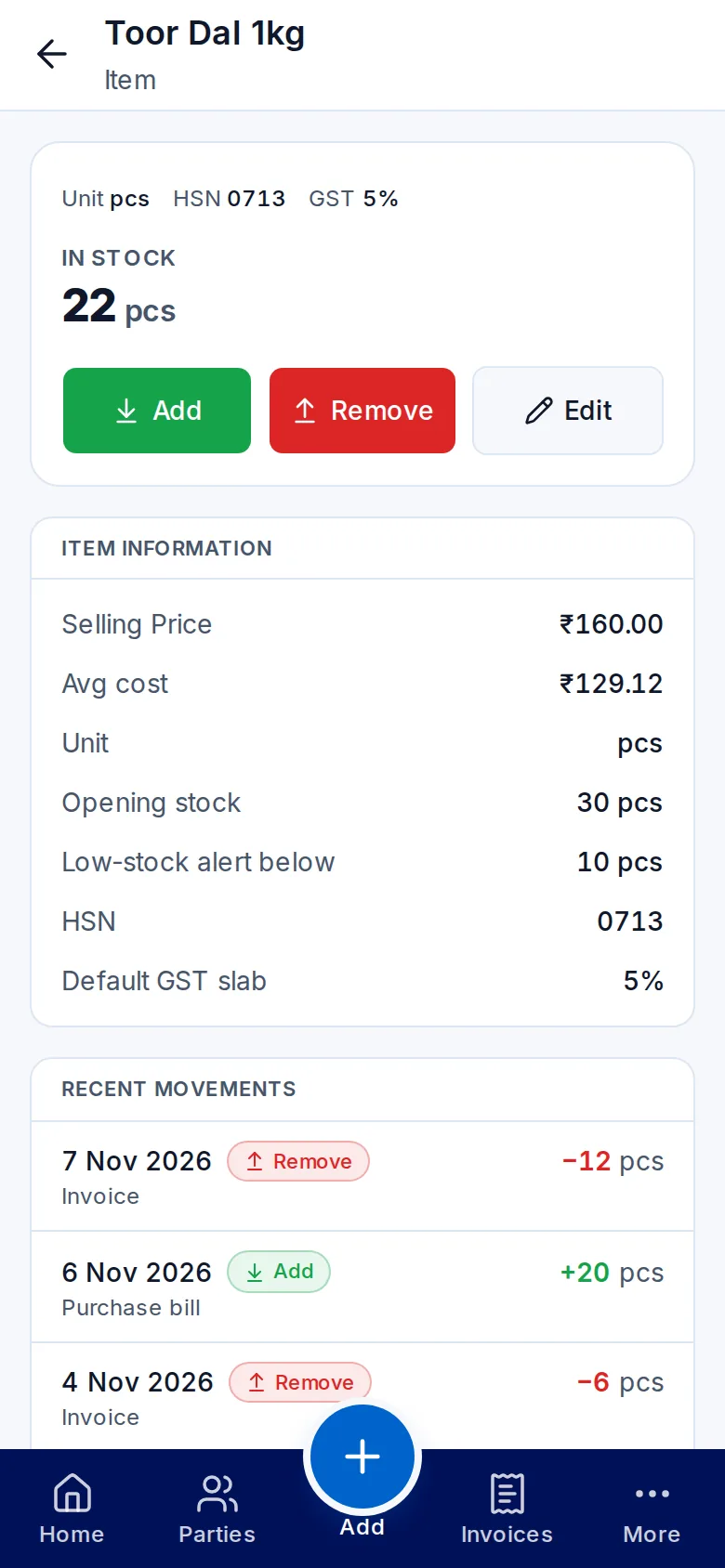
One item, fully known
- Quantity in stock
- Selling price, average cost and low level
- Every movement, with its reason
Quantity that moves by itself
Sales bring it down and purchases bring it up.
- Low-stock level for each item
- A second unit, such as box and piece
- History of every movement
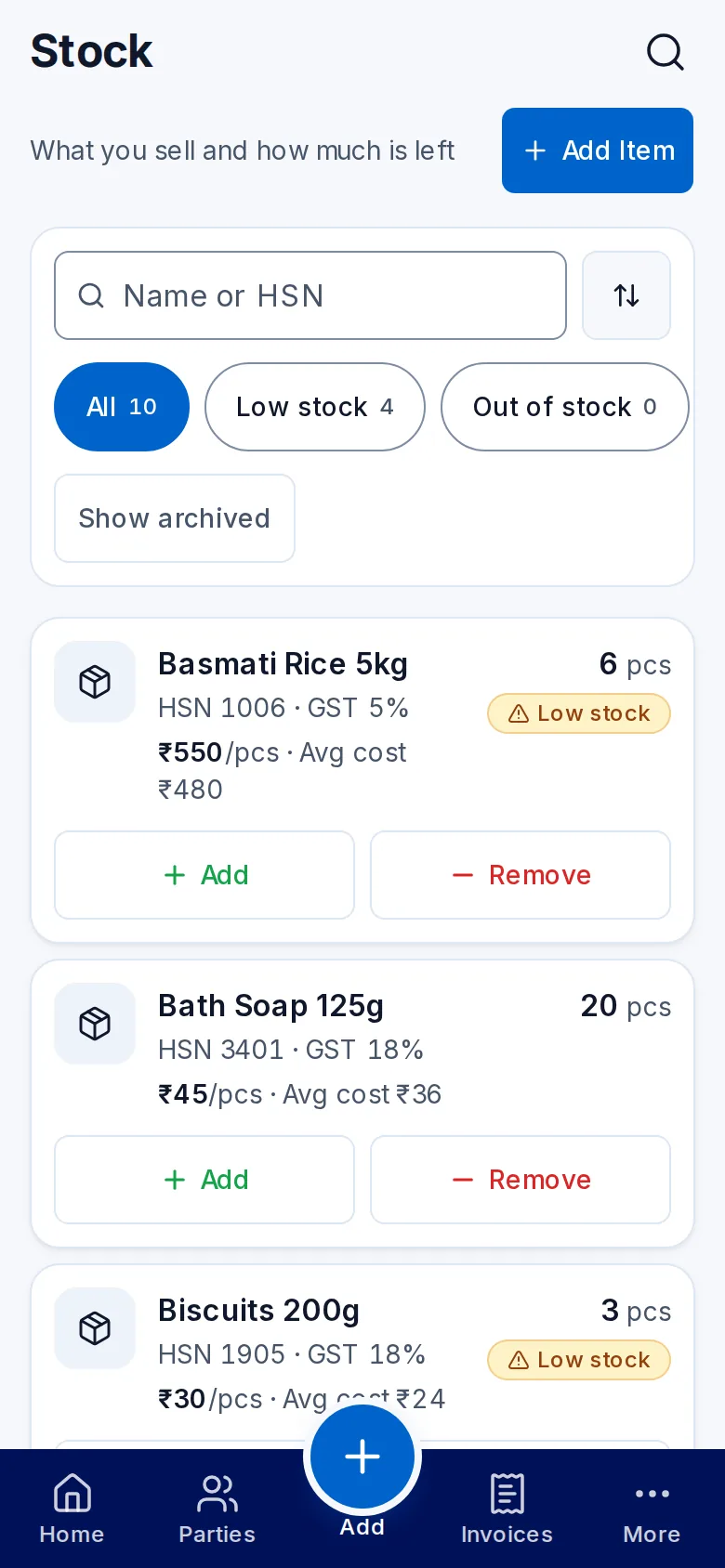
Stock: what you sell and how much is left
- Search by name or HSN
- See only what is low
- A low-stock label on the item
Buying, recorded properly
Keep supplier bills with the stock they brought.
- Purchase bills with GST
- Returns to the supplier
- What you owe each supplier
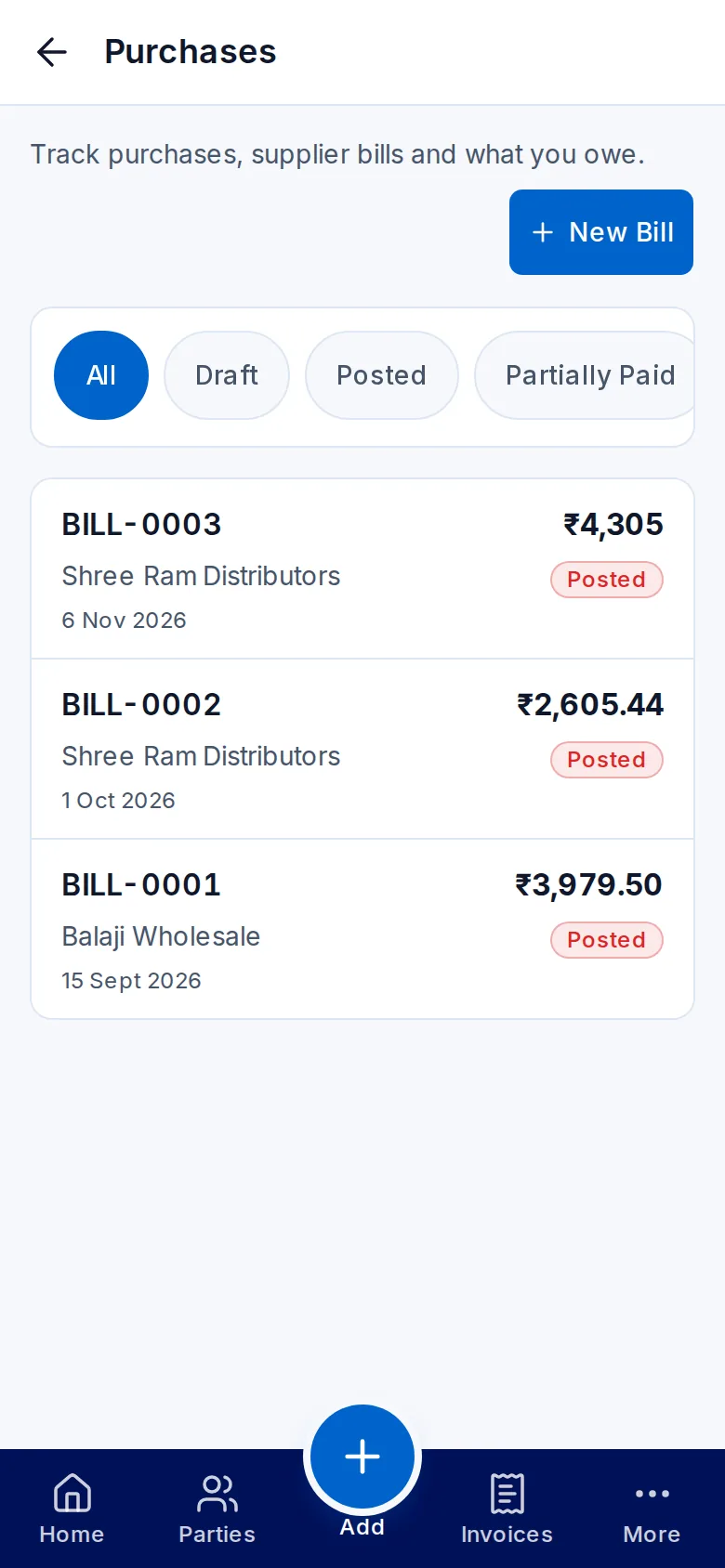
Purchases: supplier bills in order
- Add a new bill
- Filter by status
- Bill, supplier and amount
On your computer
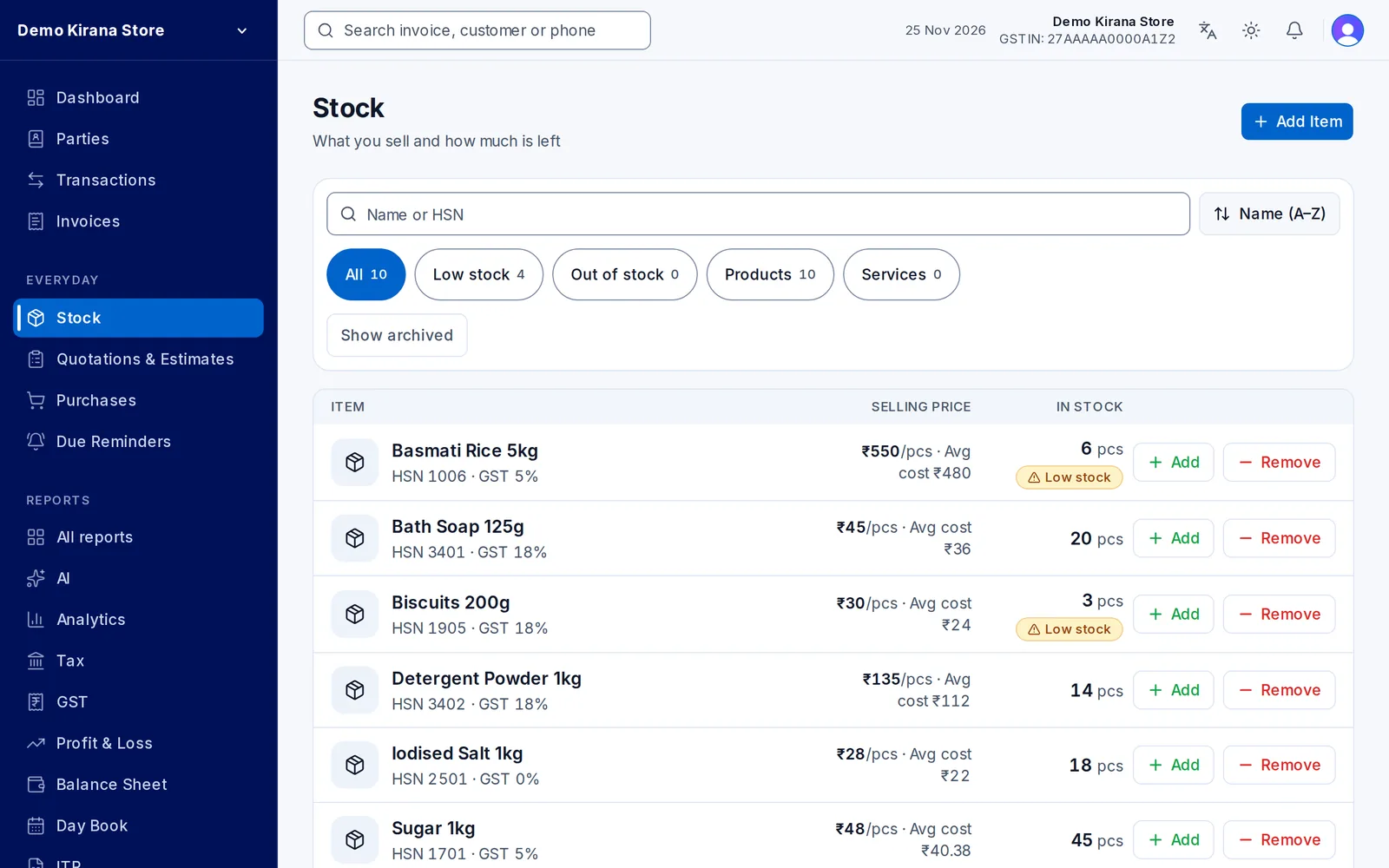
Stock: what you sell and how much is left
- Search by name or HSN
- See only what is low
- A low-stock label on the item
Questions people ask
Does PaySir have barcode scanning?
Not today. You find an item by its name.
Must I add every item first?
No. You can bill with a typed line, and add items as you go.