
GST bills, without the tax maths
Choose the customer and the items. PaySir works out the tax split, the total and the words at the bottom.
In the Free plan

The right tax, every time
PaySir reads the state from the customer's GSTIN, or from the place of supply you choose.
- CGST and SGST inside your state, IGST outside it
- HSN code and GST rate saved on the item
- Prices with tax or without tax
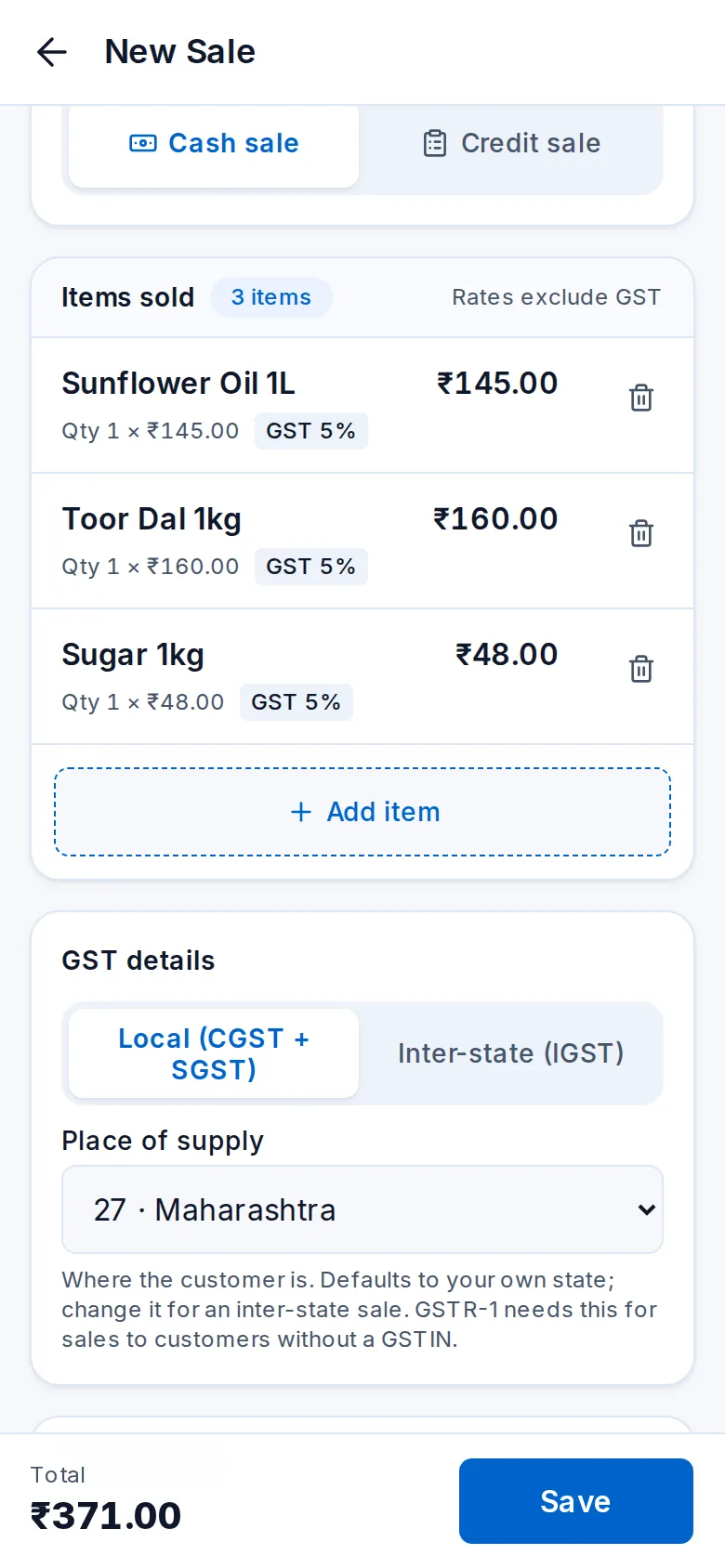
New Sale: the bill being made
- Items with quantity, rate and GST
- Local or inter-state tax
- The total, ready to save
From quotation to invoice
Send the price first, and bill it when the customer agrees.
- Turn an accepted quotation into an invoice
- Discount as a percentage or an amount
- Round-off when you want it
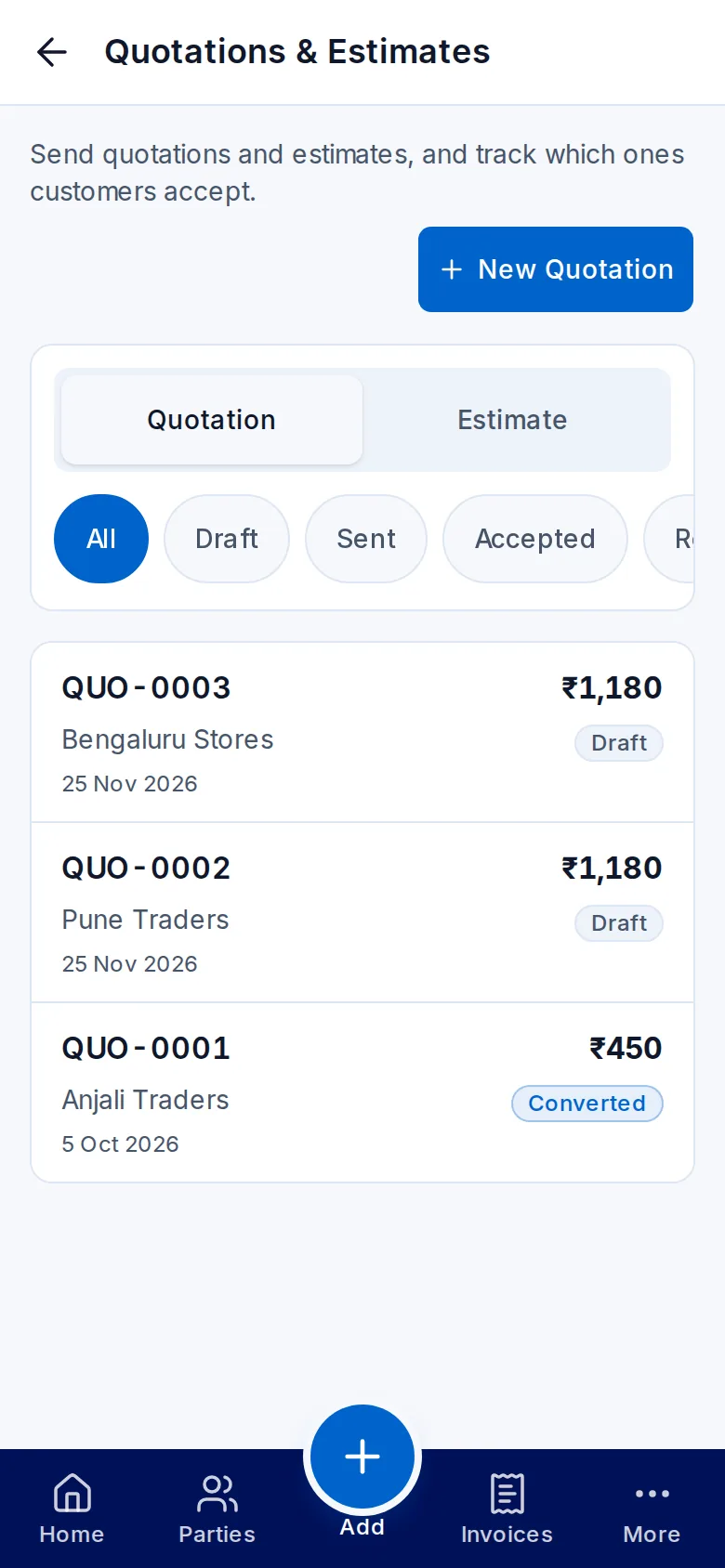
Quotations and estimates
- Quotation or estimate
- Filter by status
- One already turned into an invoice
Share it, get paid, keep count
The bill reaches the customer before they leave the shop.
- Send a link on WhatsApp, or a PDF
- A UPI QR on the invoice, if you add your UPI ID
- See which bills are unpaid or part paid
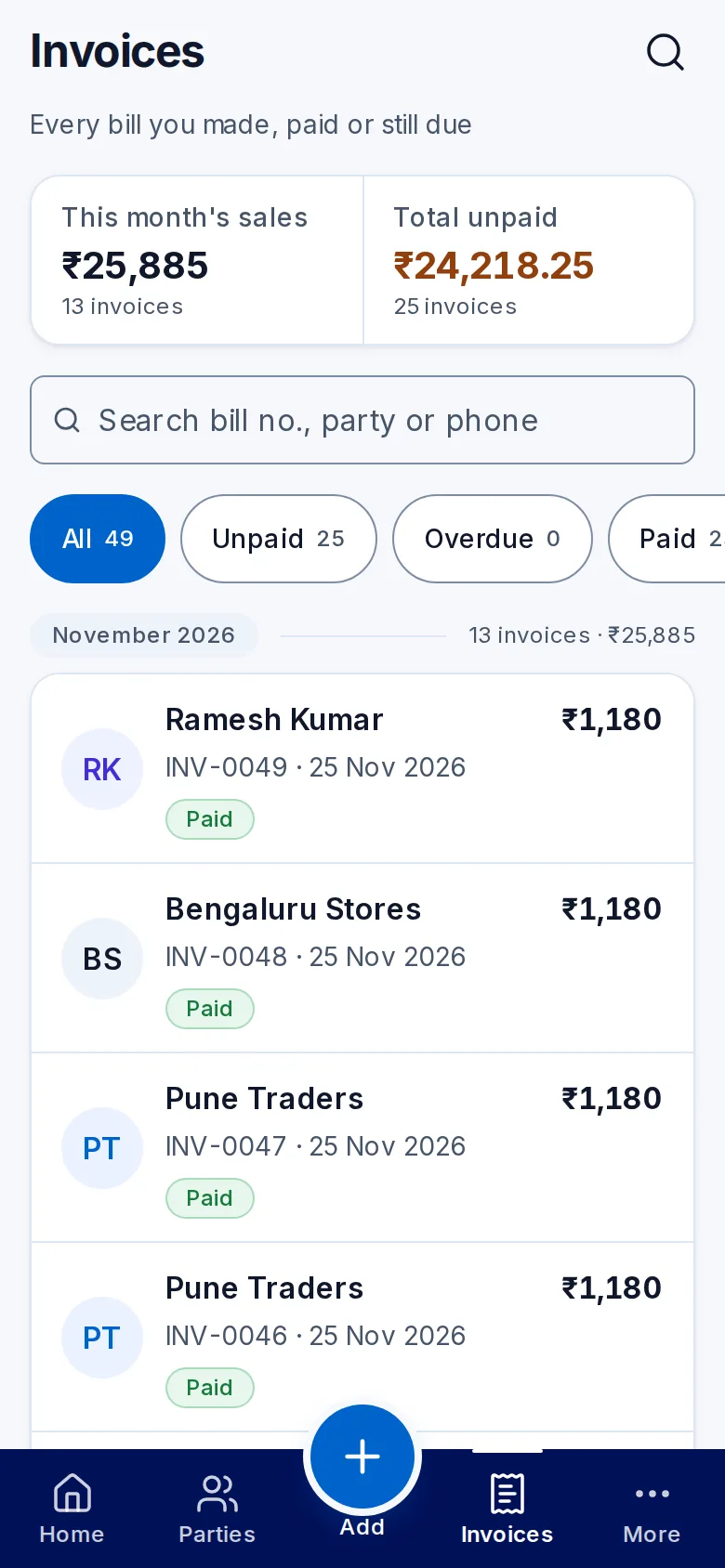
Invoices: every bill, paid or due
- This month's sales and the total unpaid
- Search and filters
- The status on each bill
On your computer
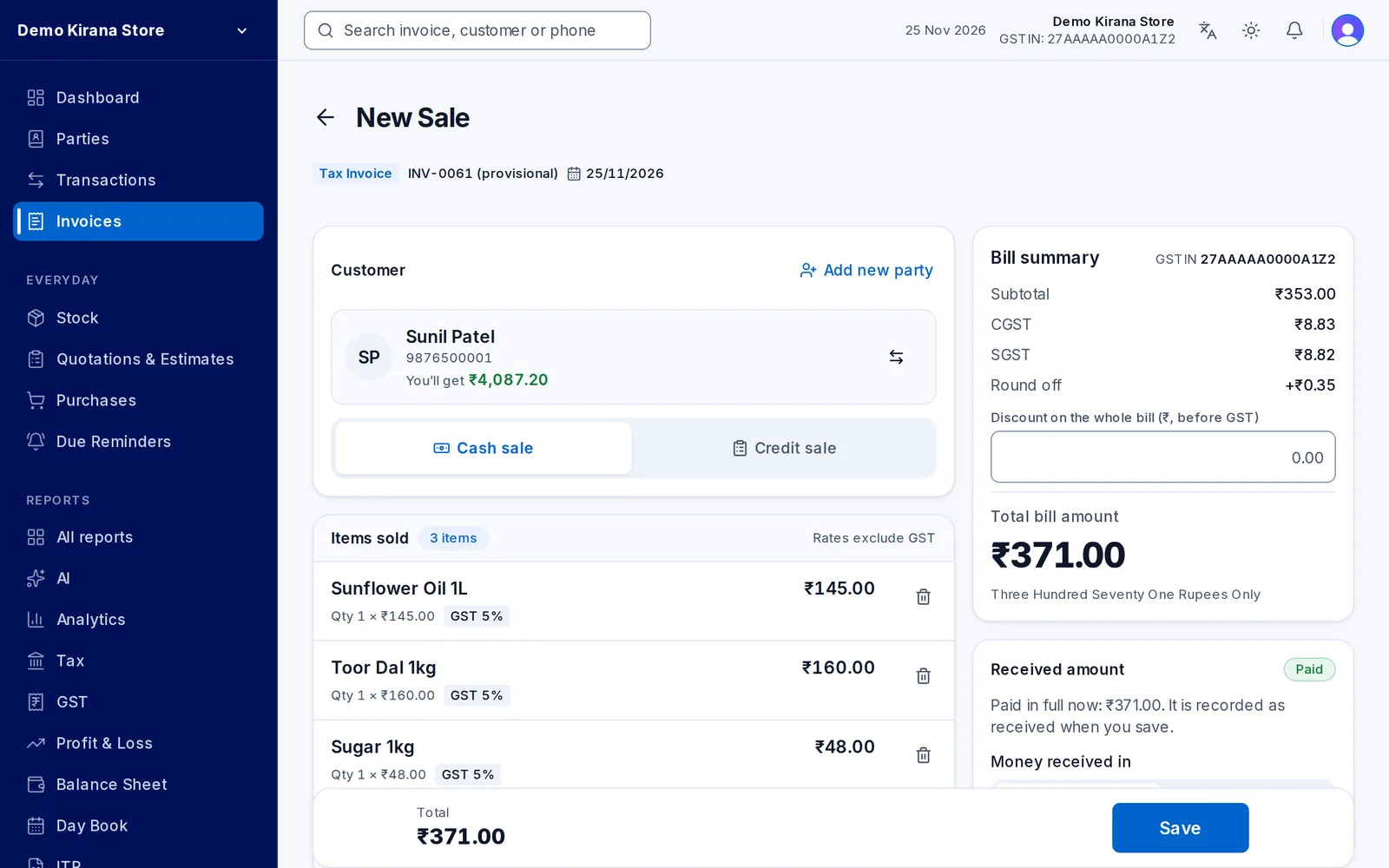
New Sale: the bill being made
- Items with quantity, rate and GST
- Local or inter-state tax
- The total, ready to save
Questions people ask
Can I bill a customer who has no GSTIN?
Yes. You can bill a named customer without a GSTIN, or a walk-in customer.
Can I change a saved invoice?
A posted entry is never quietly edited. PaySir cancels it with a reversal, so your books stay honest, and you make a fresh one.