
Fast hands at the counter
When ten people are waiting, nobody fills a form. Type the amount, tap Cash or UPI, next customer.
In the Free plan

A keypad, not a form
Big keys that work with one thumb.
- Amount, then Cash or UPI
- Link an item when you want stock to move
- A double tap is counted once
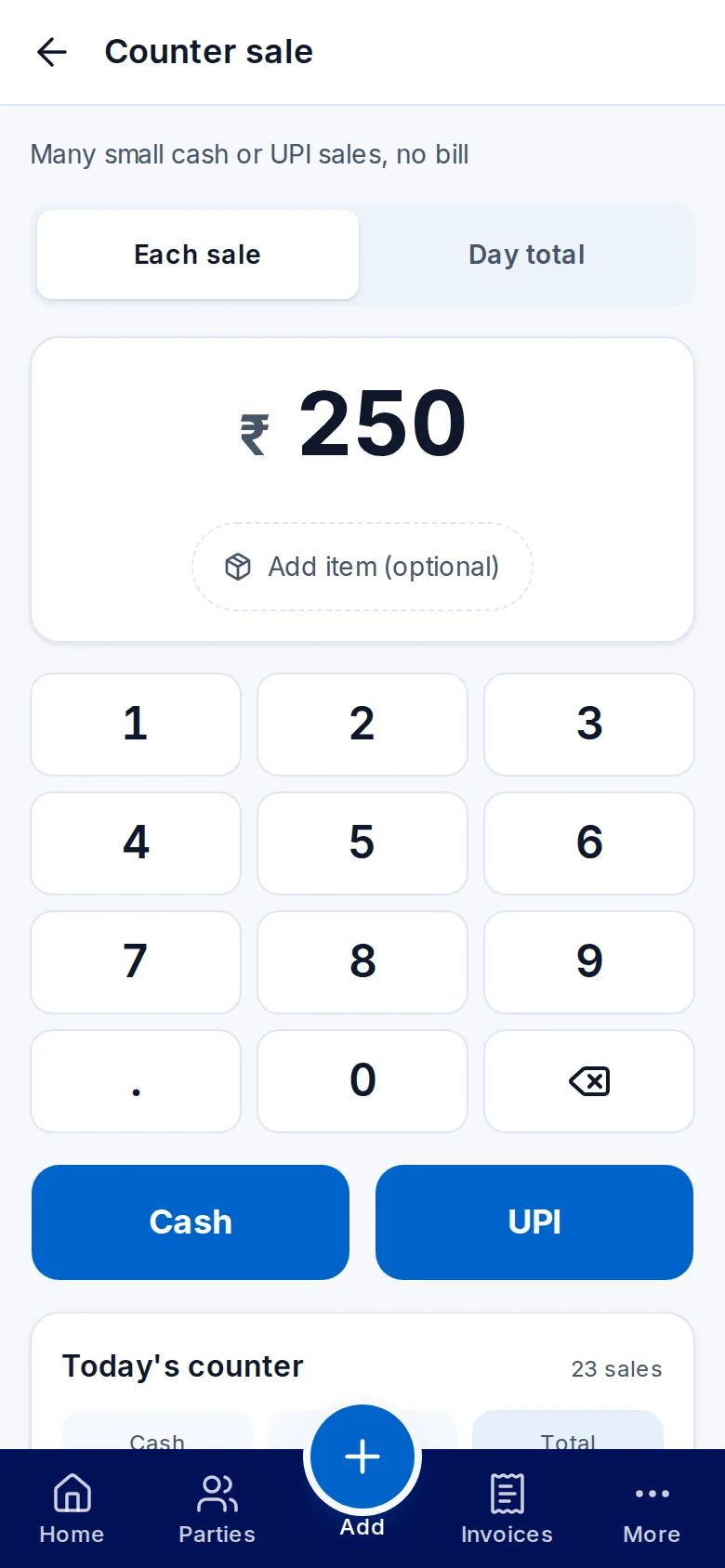
Counter Mode at the rush hour
- The amount you type
- The keypad
- Cash or UPI, one tap
The day's total, always in view
Cash and UPI are added up separately.
- See recent sales
- Undo a wrong entry with a reversal
- Cash and UPI, side by side
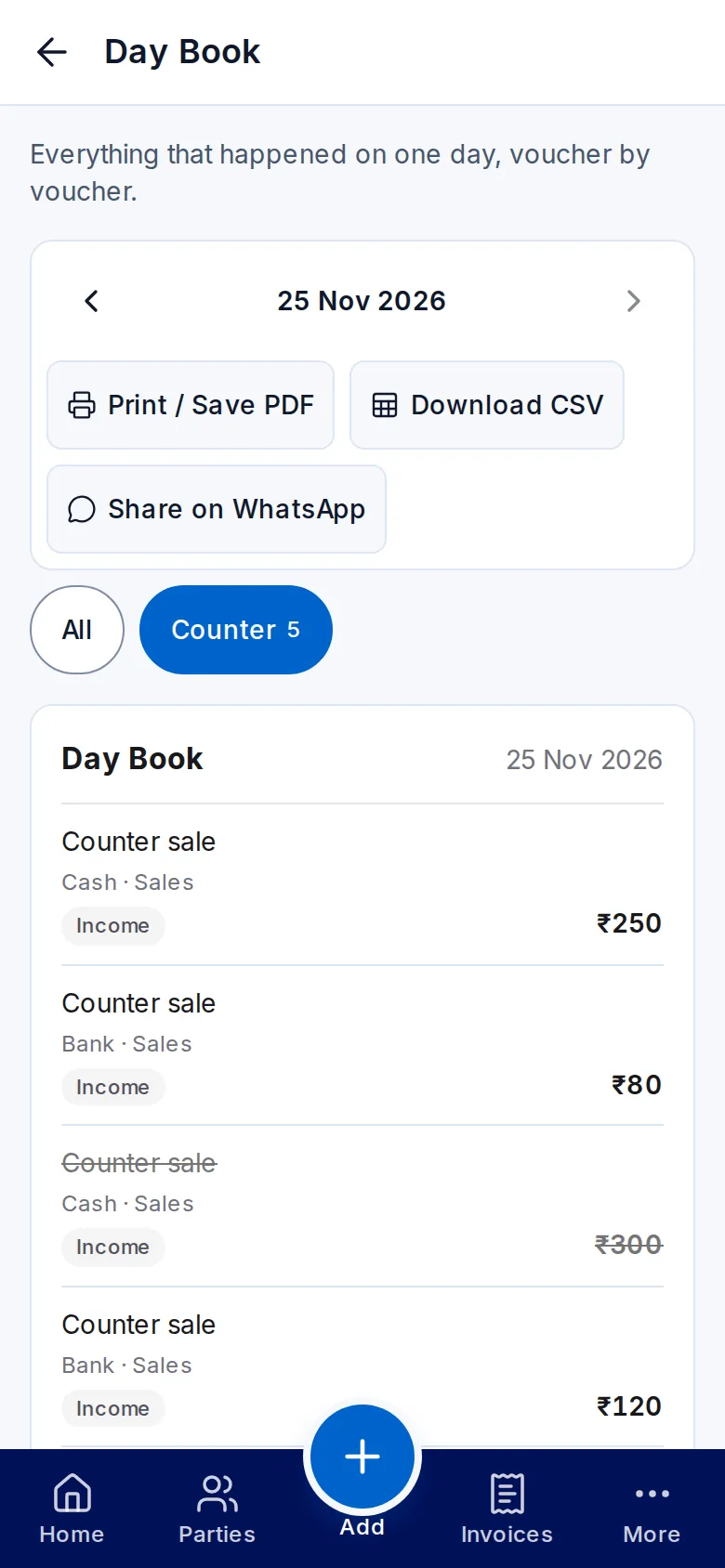
Day Book: every entry of the day
- The date
- Show only counter sales
- Each entry, with its accounts
Or enter it once at night
Too busy to tap? Put the whole day's total in at closing.
- One entry for the day
- A warning if a total is already there
- Shows in the Day Book like any sale
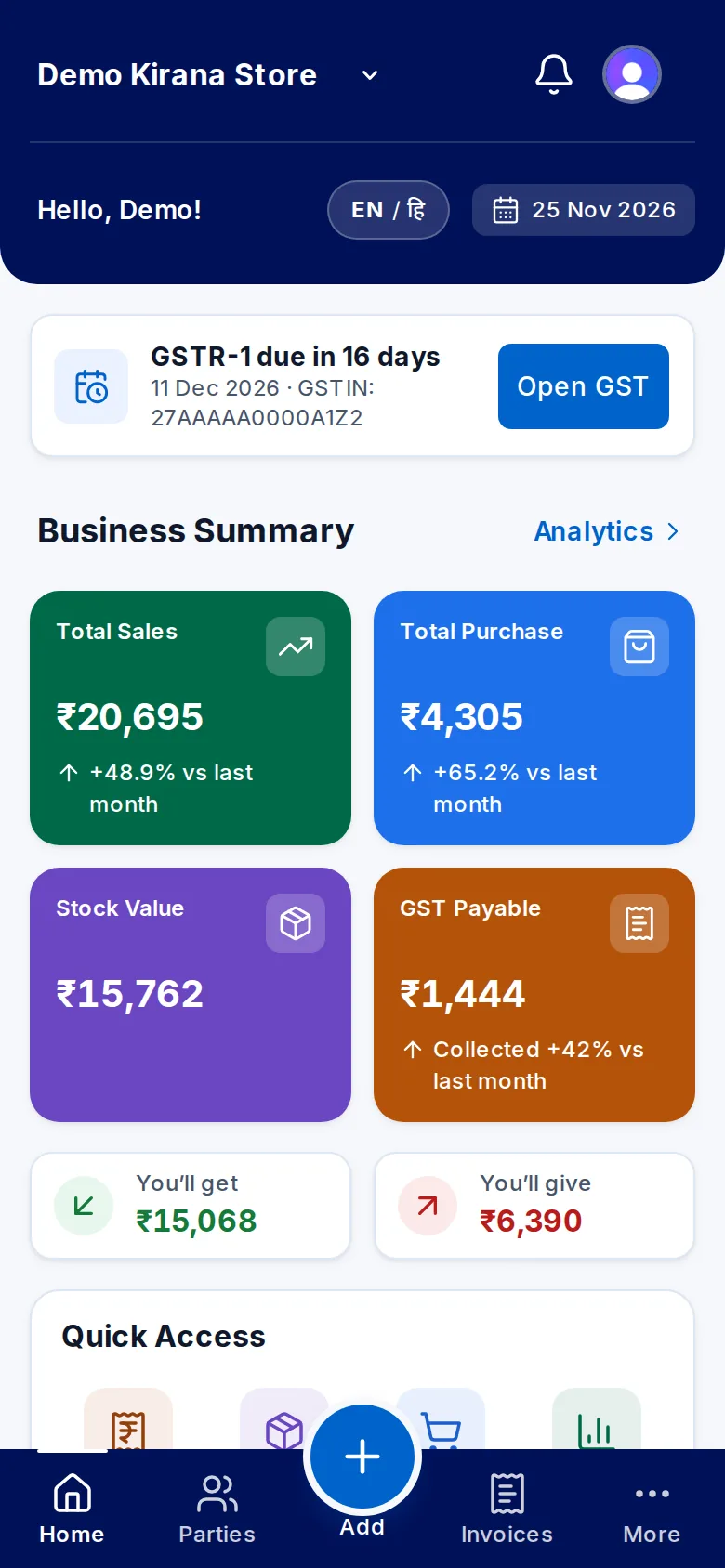
Home: the shop at a glance
- The next GST due date
- This month's sales and purchases, or today's on a computer
- What you'll get and what you'll give
On your computer
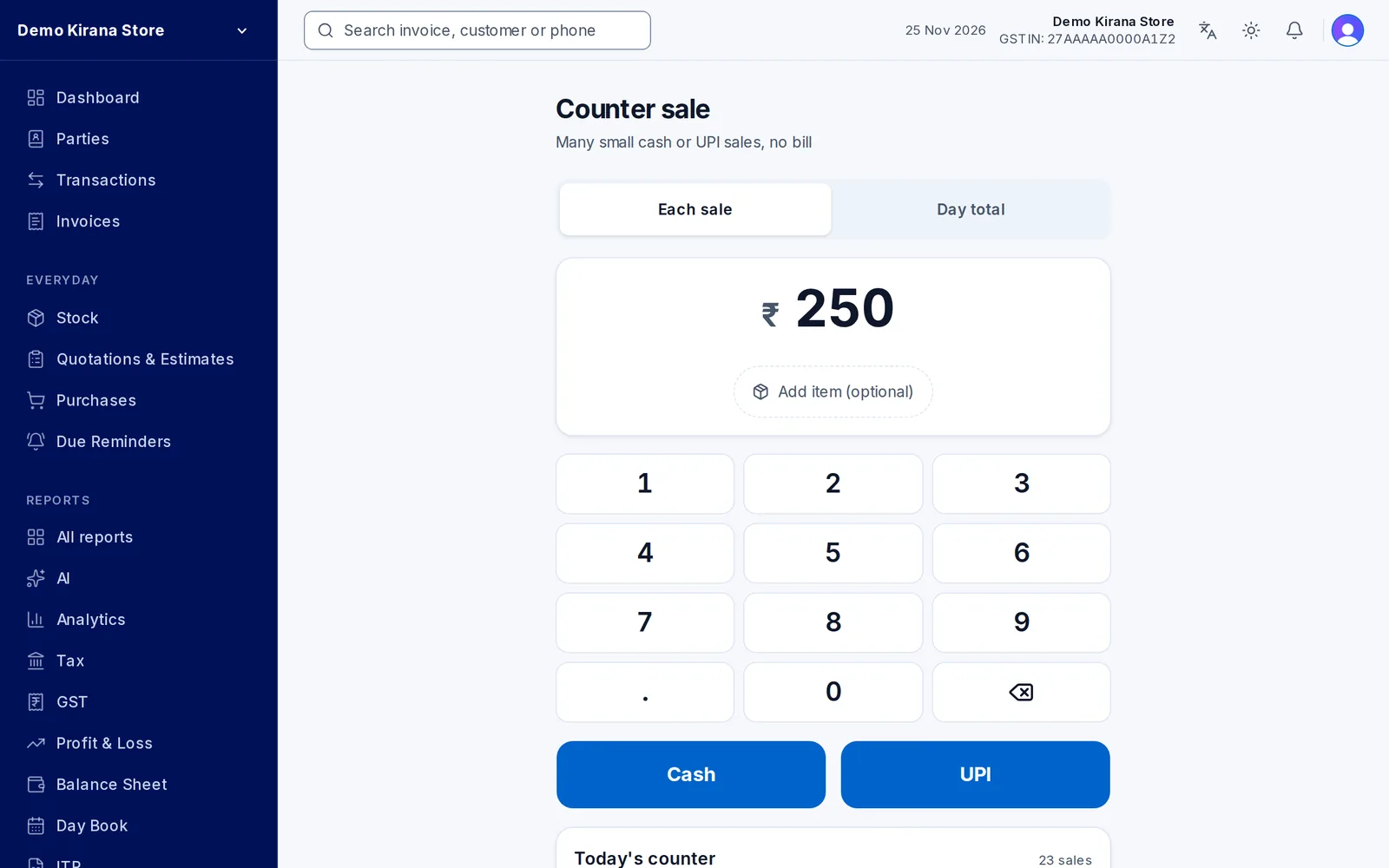
Counter Mode at the rush hour
- The amount you type
- The keypad
- Cash or UPI, one tap
Questions people ask
Does a counter sale make a GST invoice?
No. Counter Mode records the sale. Make an invoice when the customer needs a bill.
Does PaySir take the UPI payment?
No. The customer pays you as usual, and you record it as UPI.