
Your shop's whole hisaab, in one simple app
Bill a customer, note the udhaar, count the stock and see the day's profit. PaySir keeps it all together, in English or Hindi.

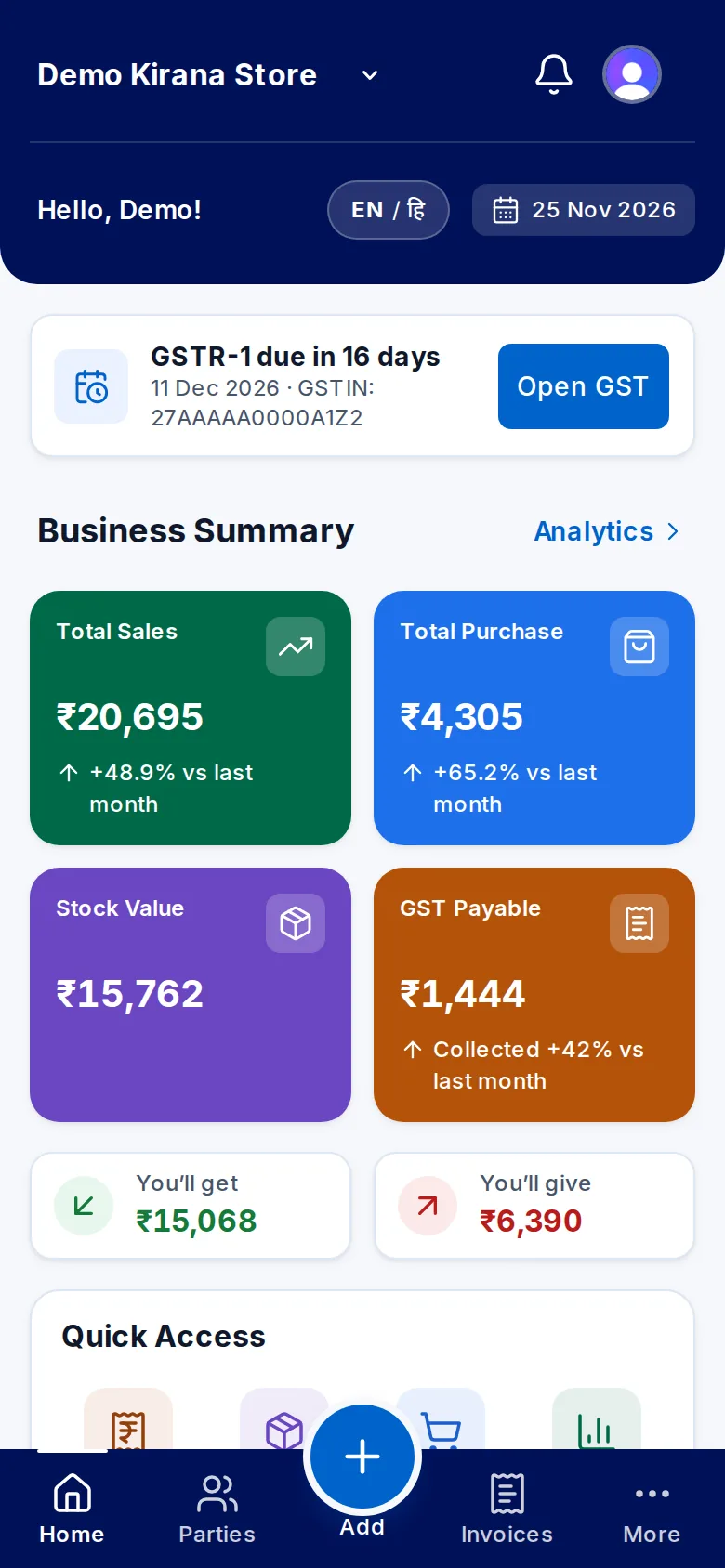
- Made for Indian shops
- English & हिंदी
- GST-ready
A day in your shop, with PaySir
From opening the shutter to closing the books, the same app stays with you.
8:30 in the morning
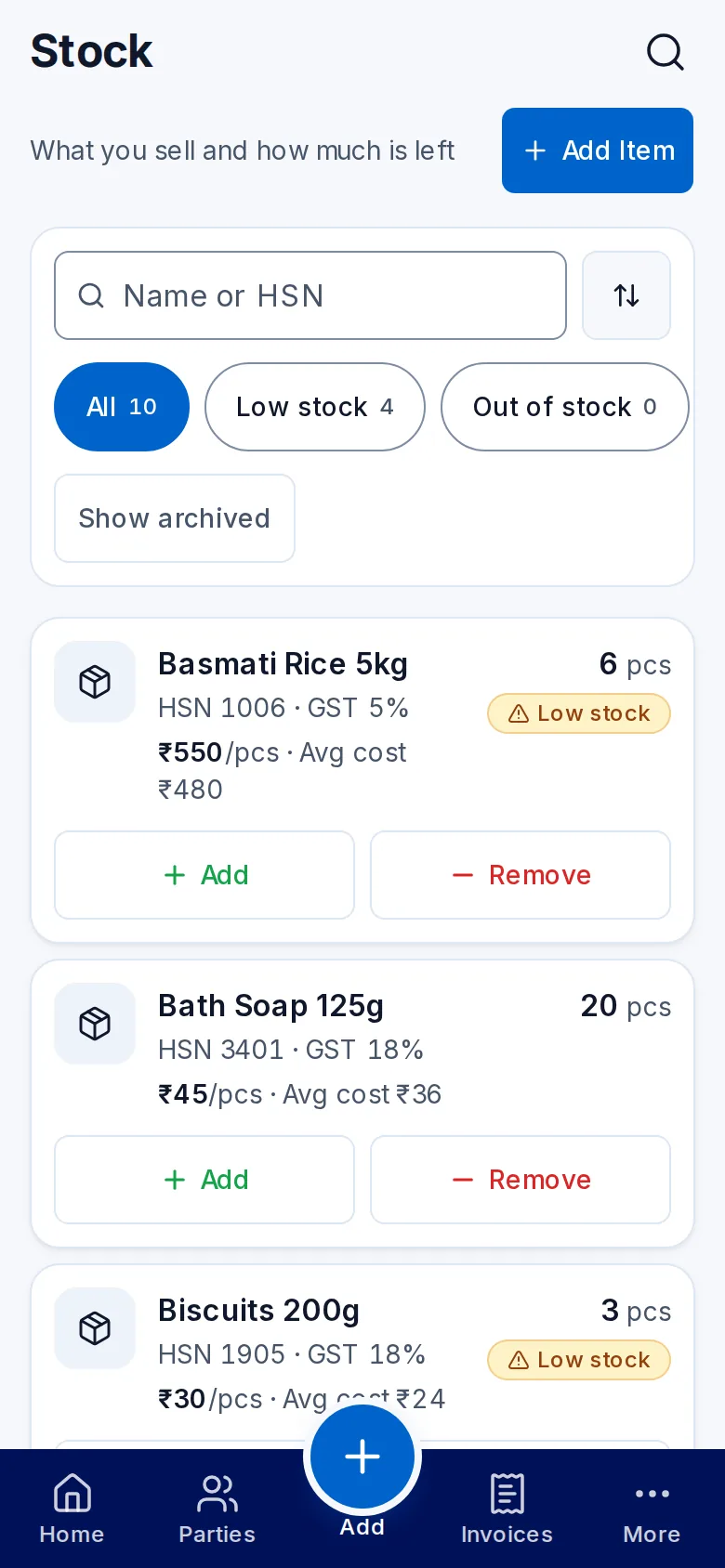
Check the stock before you open
See what is running low and what to order today. Every sale and purchase you record with an item changes the quantity for you.
12:00, billing rush
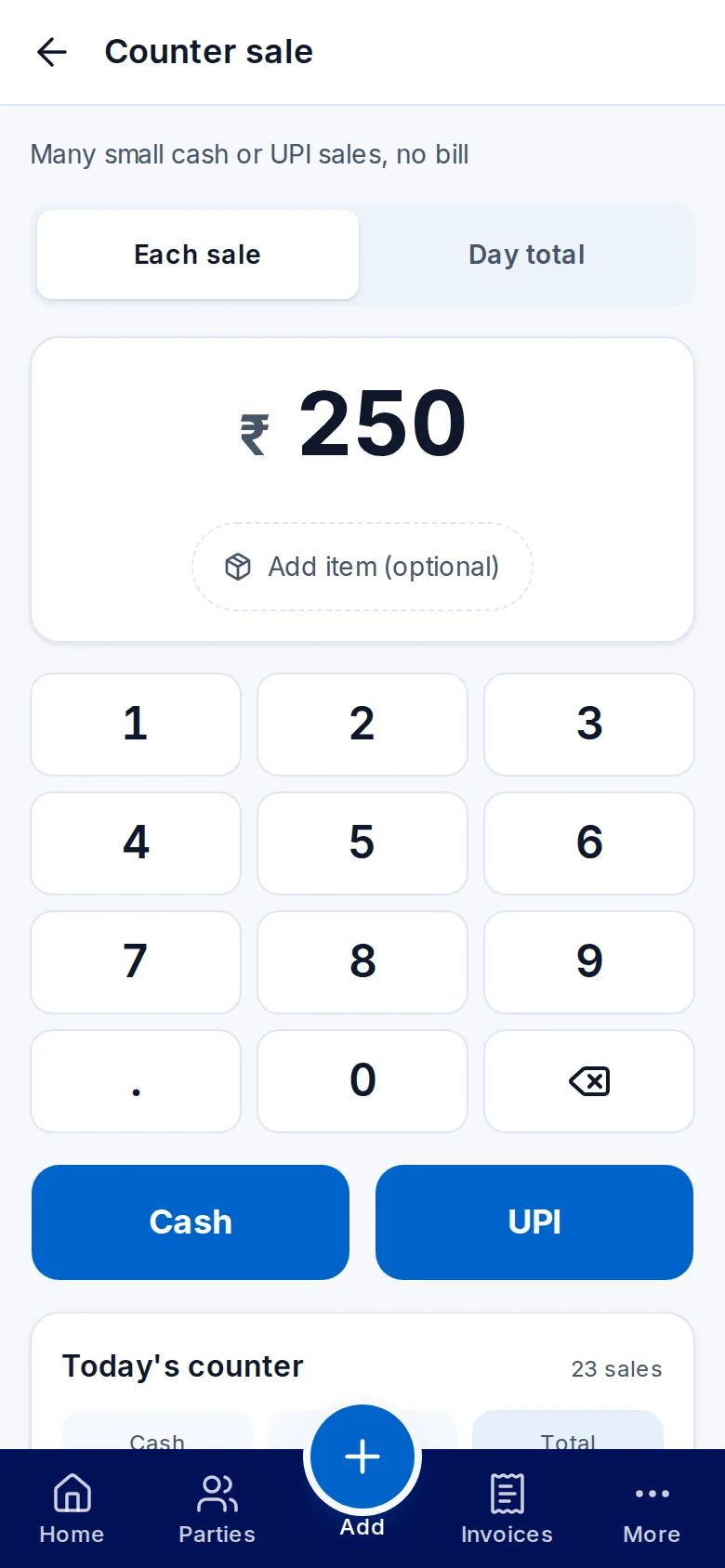
Counter Mode keeps up with the queue
For small cash and UPI sales, type the amount and tap once. No customer name, no long form.
6:00 in the evening
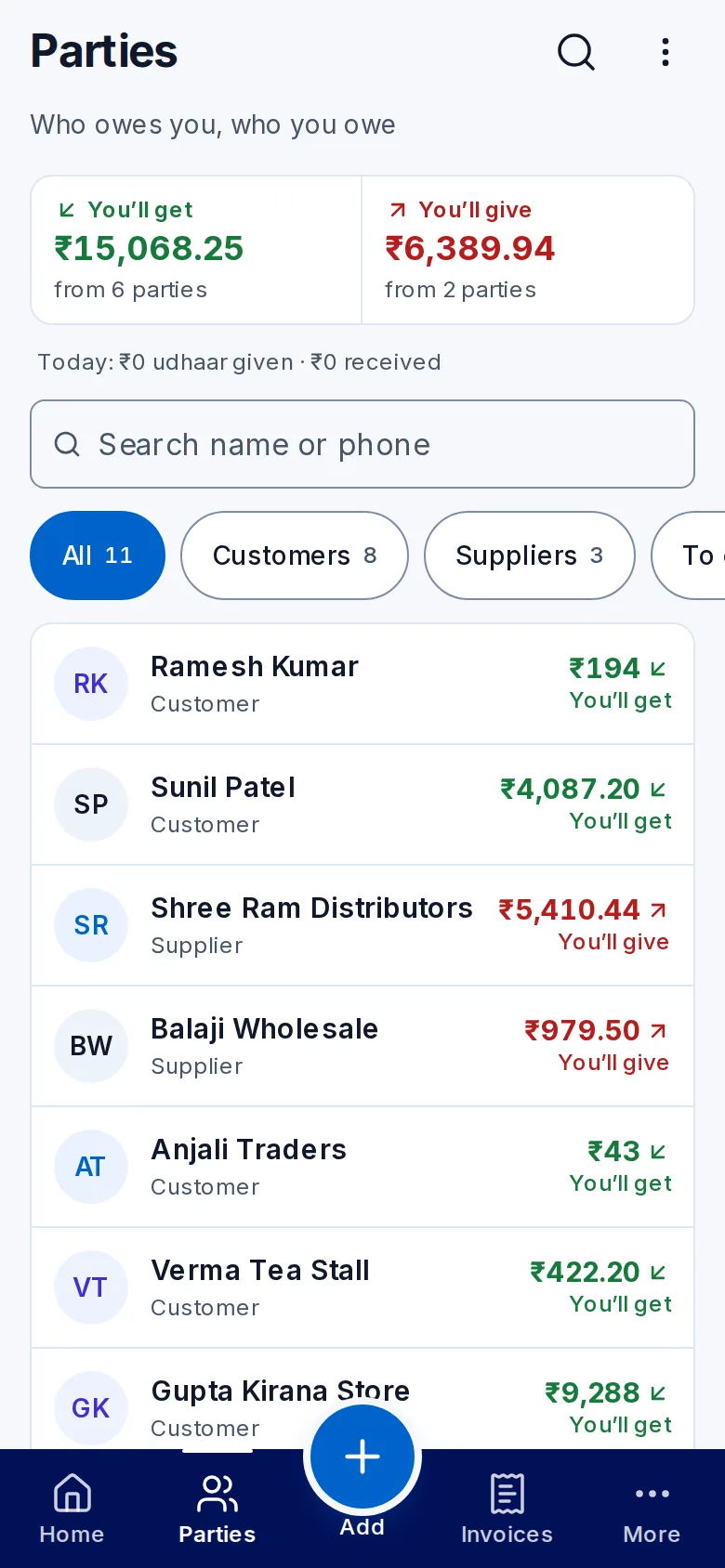
Collect udhaar politely
Open the khata, see who owes you, and send a ready-made reminder from your own WhatsApp or SMS.
9:00 at night
Know what the day earned
Open the Day Book and Profit & Loss. They are built from the entries you already made.
Everything a small shop's books need
Each of these works in the app today.
- GST invoicesCGST, SGST or IGST, HSN and place of supply
- Invoice templatesSeven designs, including Retail Modern
- MRP and discountsMRP, buying and selling price, preset discount
- QuotationsSend a quotation, turn it into an invoice
- Purchases & expensesRecord bills, returns and daily spending
- Stock alertsKnow what is running low
- KhataYou got, You gave, and statements
- RemindersFrom your own WhatsApp or SMS
- Counter ModeSmall cash and UPI sales in one tap
- ReportsP&L, Balance Sheet, Day Book, ITR summary
- GST return filesGSTR-1 and GSTR-3B JSON
- AI bill scanRead a bill from a photoMonthly limit
- AI assistantAsk about your own booksMonthly limit
- Staff & businessesRoles for your team, many shops
- App LockFingerprint or passkey on your phone
Look closer
Four parts of PaySir you will use every day.
Billing that gets GST right
Add a customer, add items, and the bill is ready to share.
- CGST and SGST or IGST is worked out from the customer's GSTIN or the place of supply
- HSN, discounts and round-off on the same bill
- Share as a link on WhatsApp or as a PDF
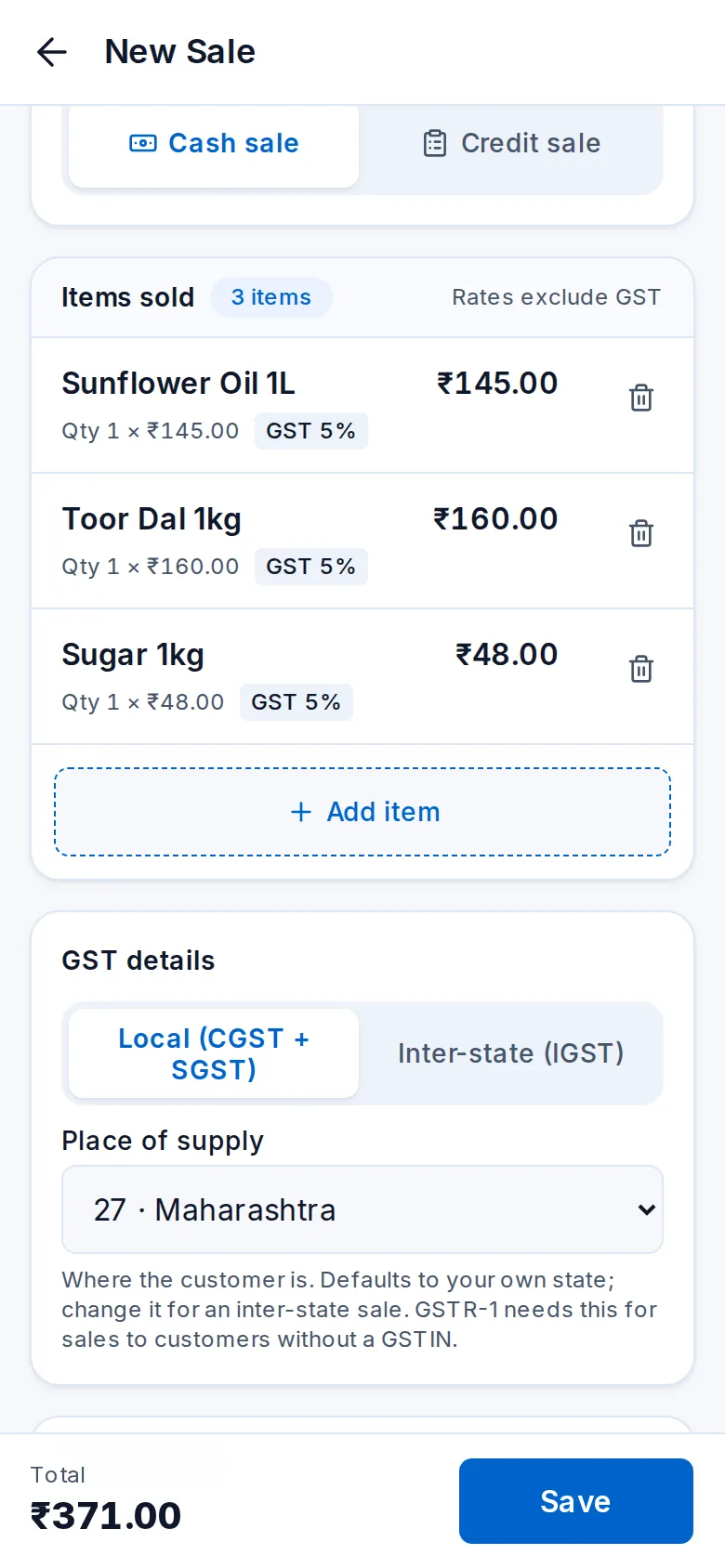
New Sale: the bill being made
- Items with quantity, rate and GST
- Local or inter-state tax
- The total, ready to save
A khata both sides can trust
You got and You gave, one line for each entry.
- See at a glance who owes you and whom you owe
- Reminders go out from your own WhatsApp or SMS
- Print a statement for any period
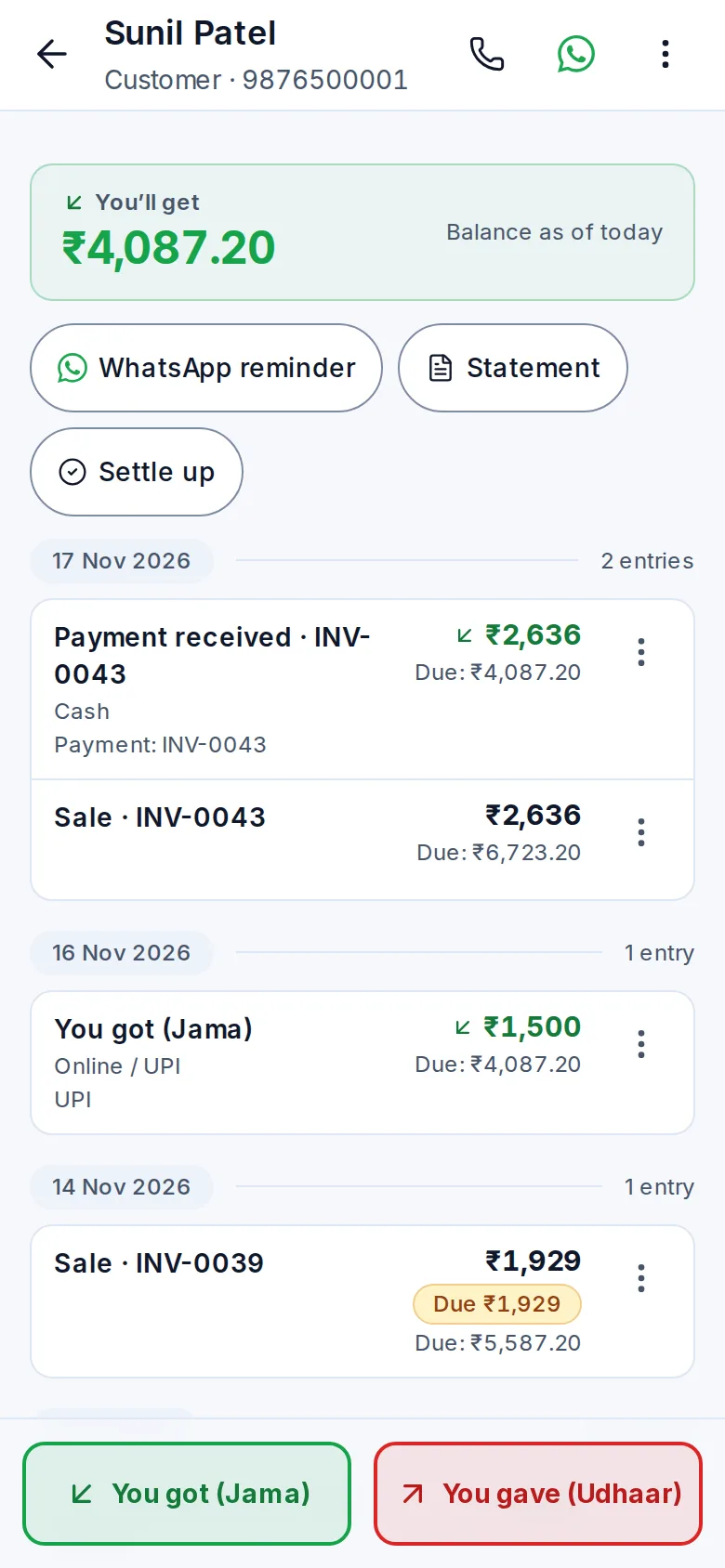
One customer's khata
- The balance as of today
- WhatsApp reminder and statement
- You got and You gave buttons
Stock that follows your bills
Sell an item and its quantity goes down. Buy it and it goes up.
- MRP, purchase price and selling price for each item
- A default discount that fills in on the sale
- Low-stock alerts at the level you choose
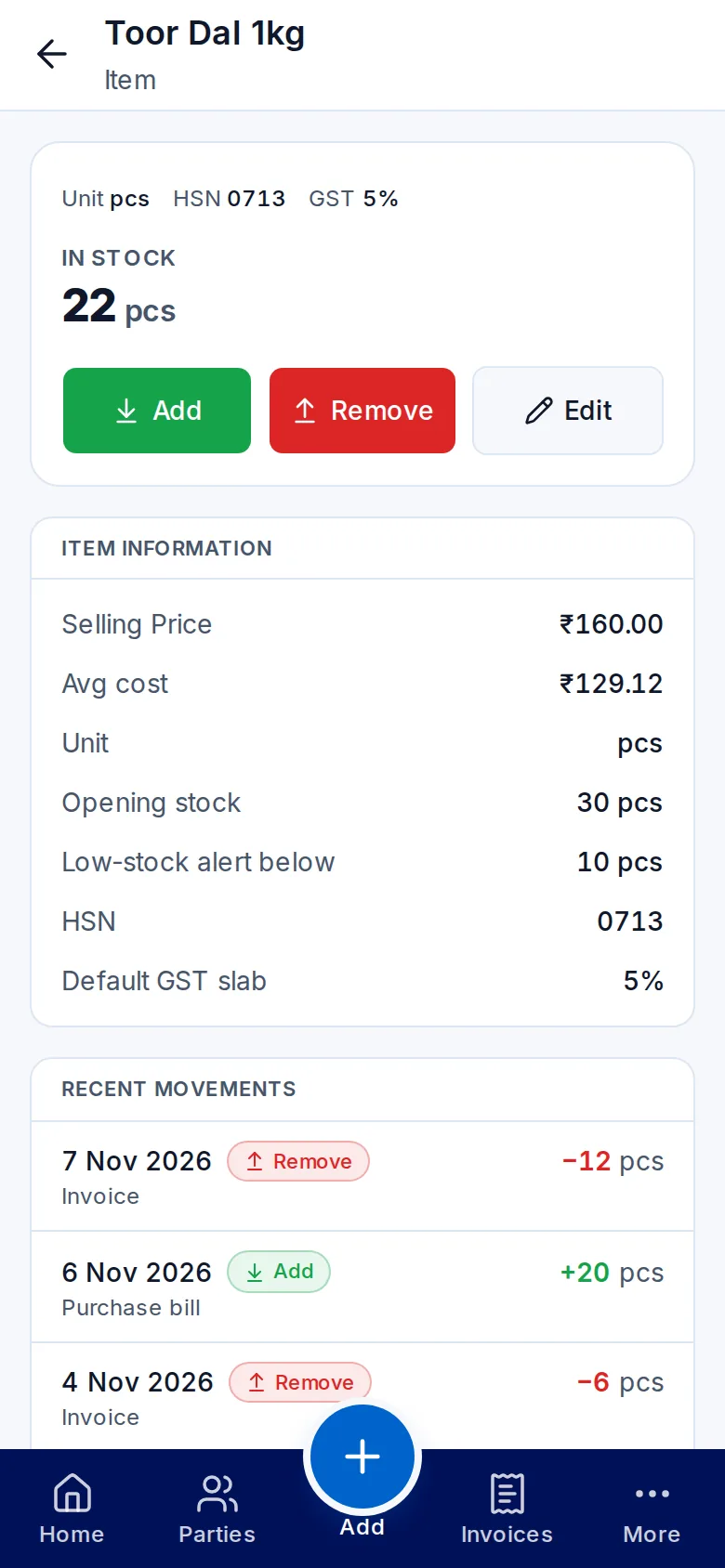
One item, fully known
- Quantity in stock
- Selling price, average cost and low level
- Every movement, with its reason
Reports without a second register
Proper double-entry runs underneath, so the figures agree with each other.
- Profit & Loss, Balance Sheet and Trial Balance
- Day Book and GST reports
- GSTR-1 and GSTR-3B JSON to give to your CA
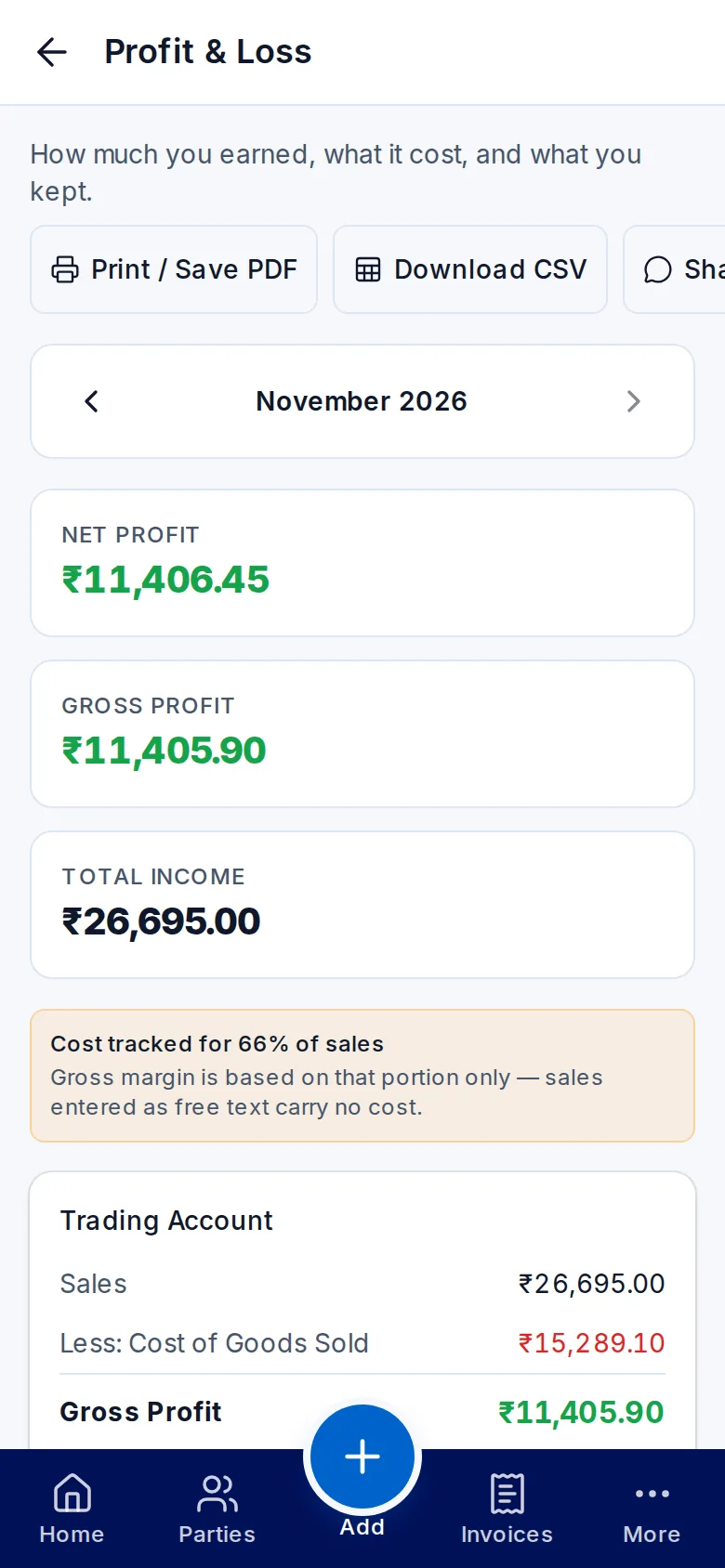
Profit & Loss for the month
- Move between months
- Net profit
- How the figure was reached
Bill formats to choose from
Seven invoice designs, drawn here by the app itself. Pick one in Settings; every bill follows it.
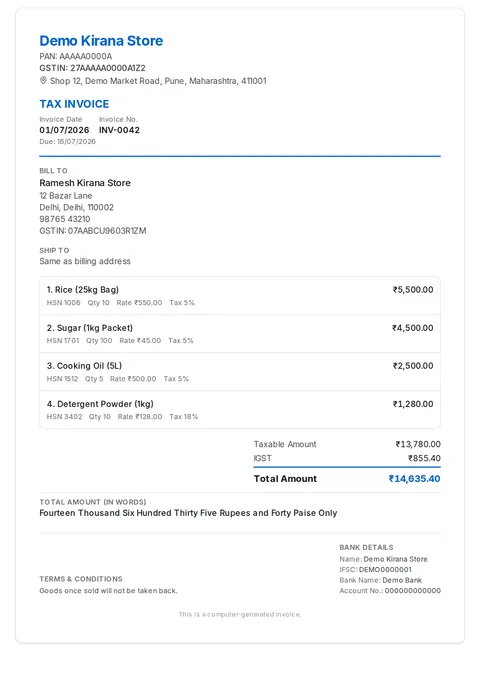
Default 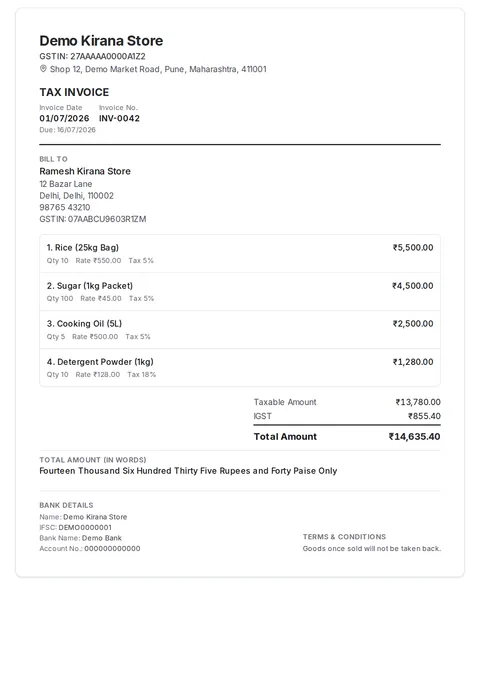
Compact 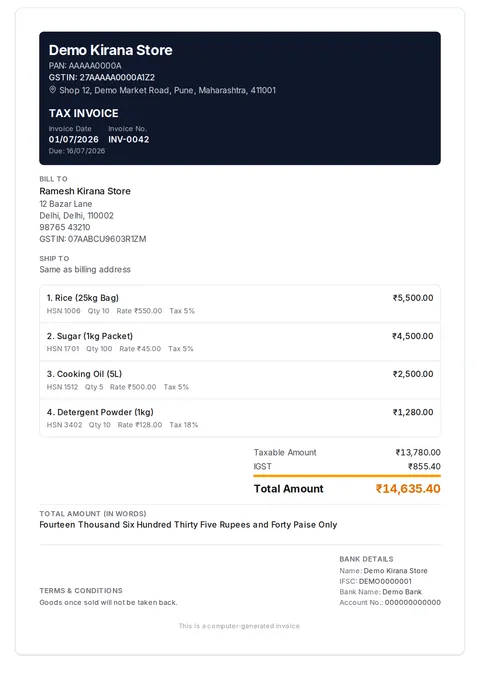
Bold 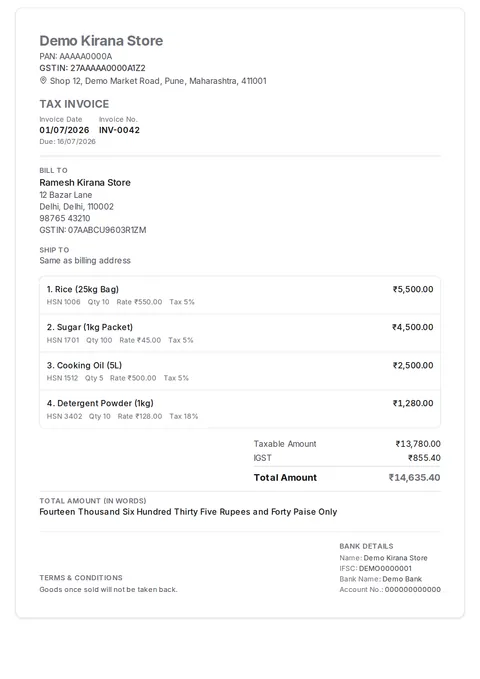
Minimal 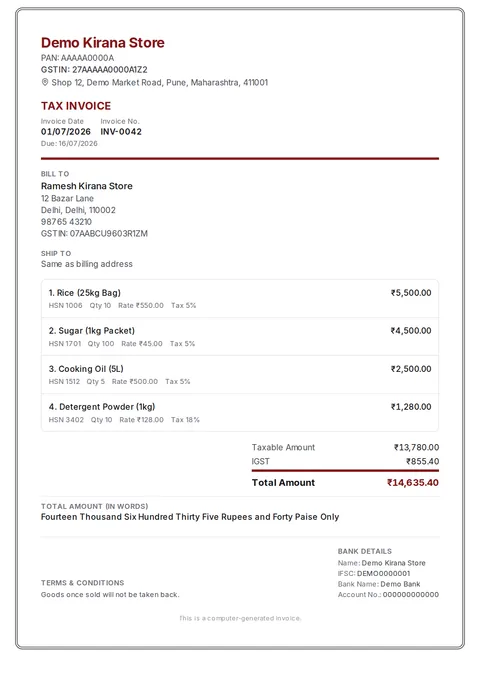
Traditional 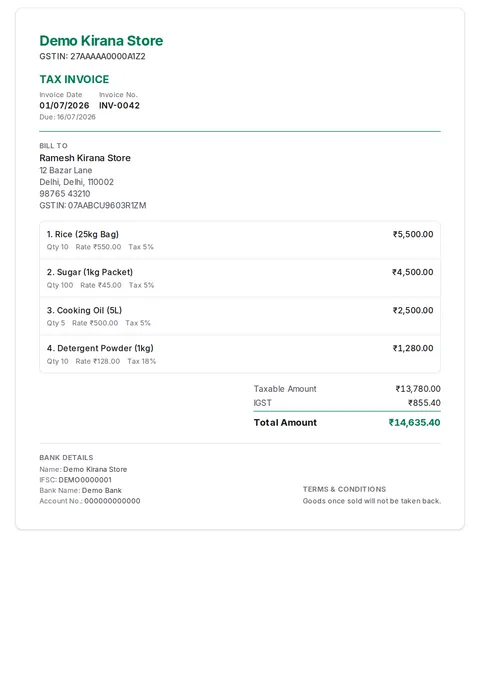
Modern 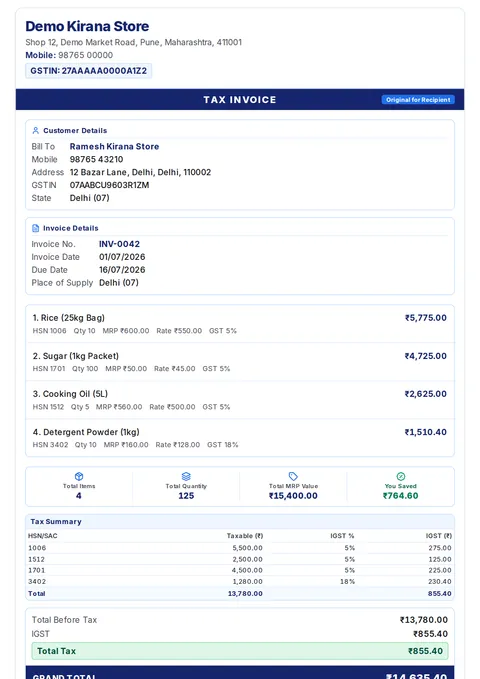
Retail Modern
Retail Modern shows MRP and what the customer saved.
Start in 3 minutes
No training and no computer needed.
Download
Get PaySir from Google Play, or open it in a browser.
Add your business
Name, state and GSTIN, if you have one.
Add items and parties
Start with a few. Add the rest as you sell.
Make your first bill
Pick the customer, add items, share it.
Who can use PaySir
Any shop or small business that sells, buys and gives credit.
- Kirana & groceryQuick sales and a long khata
- SupermarketMany items, MRP and discounts
- Medical storeMRP bills and supplier dues
- HardwareQuotations and two units
- ClothingMRP, offers and returns
- Mobile & electronicsGST bills and part payments
- JewelleryBills, khata and GST
- StationerySmall sales, many items
- Bakery & sweetsCounter sales all day
- Auto partsWorkshops on credit
- Wholesale & distributorsBig bills, long credit
- ServicesBill your work with GST
Why shopkeepers pick PaySir
Proper accounts underneath
Every entry is balanced double-entry. You see a simple screen; your CA sees real books.
Hindi that reads like Hindi
Every screen is in Devanagari too, with terms like GST, Invoice and Ledger kept as you know them.
Counter Mode
Small sales at the counter take an amount and one tap.
Khata and GST together
Udhaar, bills and tax live in one app, so nothing is typed twice.
Phone and web
Bill on your phone at the counter. Check reports on a bigger screen at home.
PaySir, paper or Excel?
An honest look. Paper and Excel still win at one thing.
| PaySir | Paper register | Excel | |
|---|---|---|---|
| GST worked out on every bill | Yes | No | If you build it |
| Each customer's balance, always up to date | Yes | By hand | If you build it |
| Reminder on WhatsApp in one tap | Yes | No | No |
| Stock goes down when you bill | Yes | No | No |
| Profit & Loss and Balance Sheet | Yes | No | If you build it |
| GSTR-1 and GSTR-3B JSON for your CA | Yes | No | No |
| Staff can bill without seeing profit | Yes | No | No |
| Lose the phone, books are still there | Yes | No | If you kept a copy |
| In Hindi | Yes | Yes | Partly |
| Works without internet | No | Yes | Yes |
हिंदी में या English में, आपकी मर्ज़ी
The same screen in both languages. Switch any time with one tap; GST, Invoice and Ledger stay as you know them.
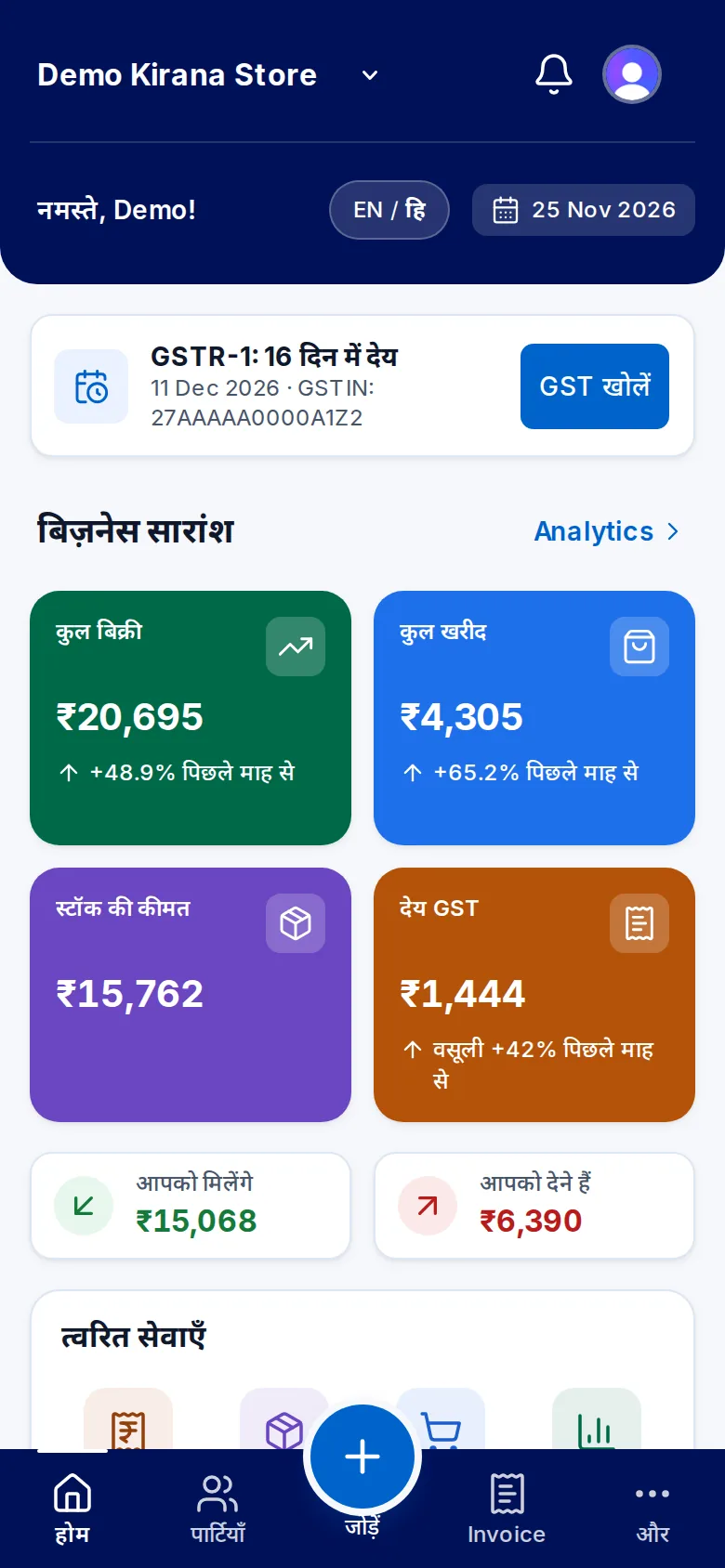
Your data is yours
Take it out
Invoices as PDF, reports as CSV, GST returns as JSON. Download them any time.
Lock it
App Lock asks for your fingerprint or passkey on your phone.
Delete it
Delete your account from Settings, or ask on our delete-account page.
Separate for each company
Every record belongs to one company. People in one company cannot open another's data.
Encrypted in transit
Data travels between your device and our servers over TLS.
Questions people ask
Is PaySir free?
Yes, there is a Free plan. It includes khata, GST invoices, quotations, purchases, stock, reports and reminders. Scan a Bill has 10 scans a month and the AI assistant has 50 messages a month on Free.
Which plans are there?
Free, Basic and Pro. Free covers the daily books. Basic and Pro add higher monthly limits for bill scan and the AI assistant, AI expense and tax suggestions, TDS, and on Pro, scanning a whole sales-register page.
Is there a limit on bills or parties?
No. On every plan you can make as many invoices and add as many parties and items as you need. Only bill scan and the AI assistant have monthly limits.
Do I need a computer?
No. PaySir works fully on an Android phone. If you have a computer, you can also open it in a browser with the same login.
Is there an iPhone app?
Not today. On an iPhone you can use PaySir in the browser.
Can I use it in Hindi?
Yes. Switch between English and Hindi any time from the app.
Does it work without internet?
No. PaySir needs an internet connection to open your books and to save entries.
Can I make GST invoices?
Yes. PaySir adds CGST and SGST for a sale in your state and IGST for a sale to another state, with HSN codes and place of supply.
My shop is not registered for GST. Can I still use it?
Yes. You can make bills without GST, and use khata, stock and reports as usual.
Does PaySir file my GST return?
No. PaySir prepares the figures and gives you GSTR-1 and GSTR-3B JSON files. You or your CA file them on the GST portal.
Does PaySir send reminders by itself?
No. You tap Remind, and the message opens in your own WhatsApp or SMS, ready to send.
Can my staff use it?
Yes. Invite them with a role. Shop staff can make bills and take payments without seeing your profit.
I have two shops. Do I need two phones?
No. Add both businesses under one login and switch between them. Each keeps its own books.
Is my data safe?
Your data is kept separate from every other company, and it is encrypted while it travels. You can also lock the app with your fingerprint.
Can I give my books to my CA?
Yes. Invite your CA as an accountant, or print reports and download them as CSV.
How do I delete my account?
Go to Settings, then Delete account. You can also ask from the delete-account page on this website.
How do I reach support?
Call or email us from Monday to Saturday, 10:00 to 18:00 IST. We reply to email within 48 hours.
Can I use it on my phone and my computer together?
Yes. Sign in with the same login on both; they show the same books.
Can I start without a GSTIN?
Yes. Add your GSTIN later, when you have one.
Can I bring in my old register?
There is no file import. Add each party's opening balance and each item's opening stock once, and carry on from there.